
The project follows one practical journey: find a trading pair, get oriented, then decide whether to place an order. The selected market is the thread that holds all three steps together.
Market discovery
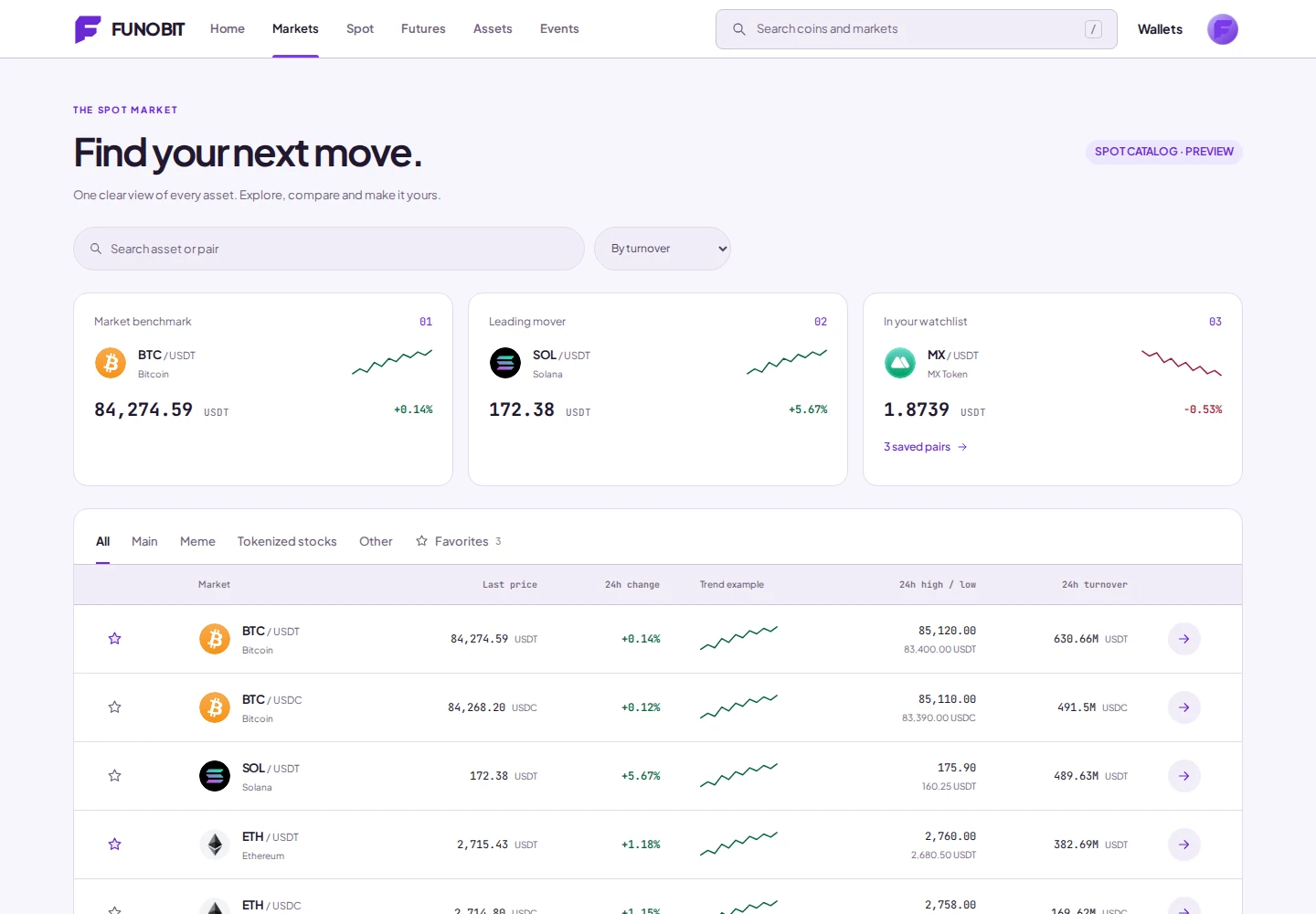
The public site leads visitors to the market list, where a trading pair is the starting point. A clear pair label makes it easier to distinguish similar symbols before moving into the workspace.
Inside the workspace, the active pair also explains which market the chart and order controls refer to. Familiar labels and an obvious position in the layout help visitors reorient after switching pairs.
Keep price context in view
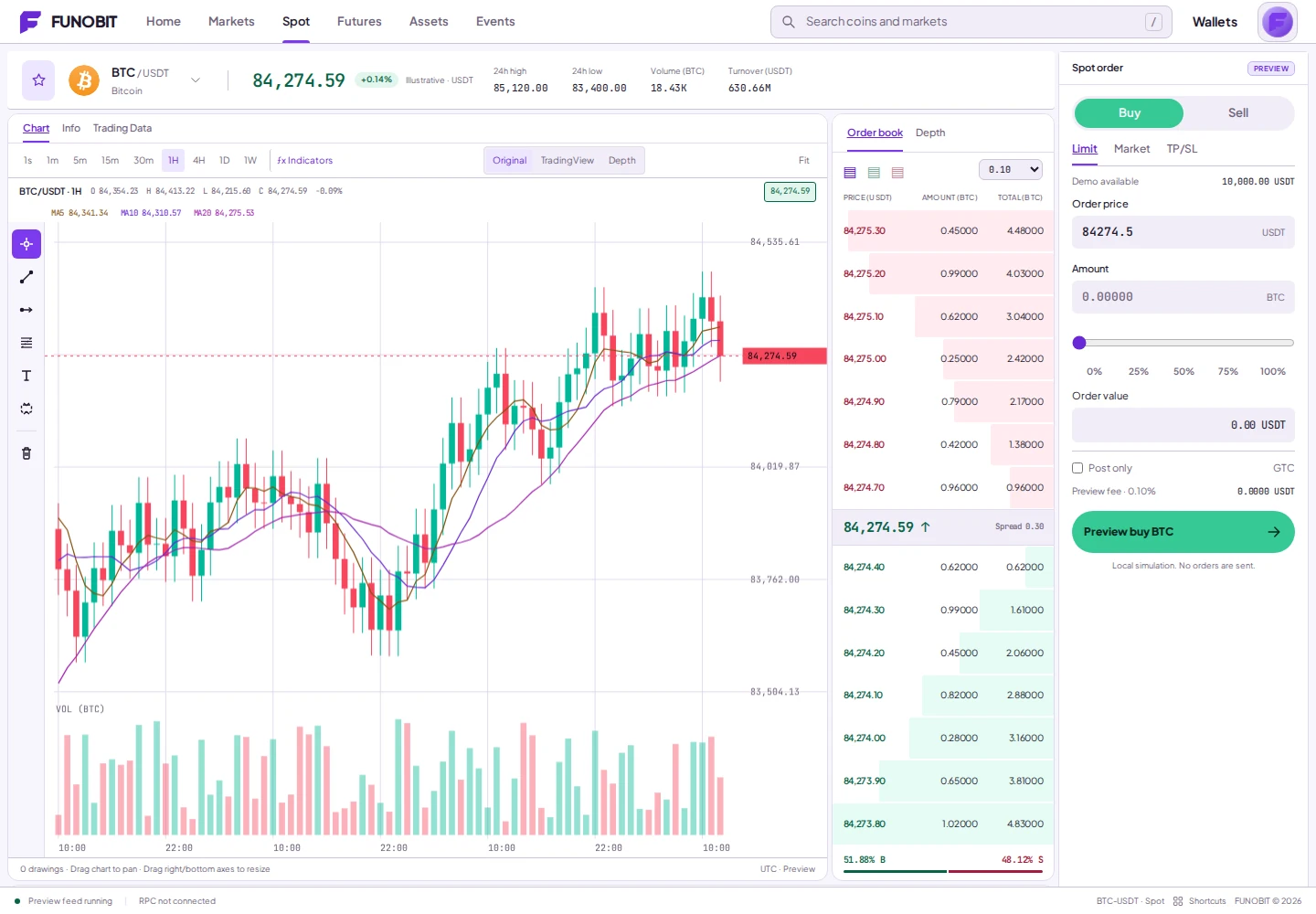
A chart gives the recent price move a frame of reference; order controls give that information a place to lead. The design groups these areas by purpose, keeping the selected market visible in both.
- Pair context. Show which assets make up the active market.
- Chart. Give the current market a dedicated space for price history.
- Order panel. Group the controls that specify the next action.
From intent to order
At the point of entry, the information to review is the pair, trading side and size. Bringing those details together gives the trader one place to pause before acting.
The order panel is treated as a distinct part of the page, so its inputs remain easy to recognize next to views that change as market prices move.
A narrower trading workspace
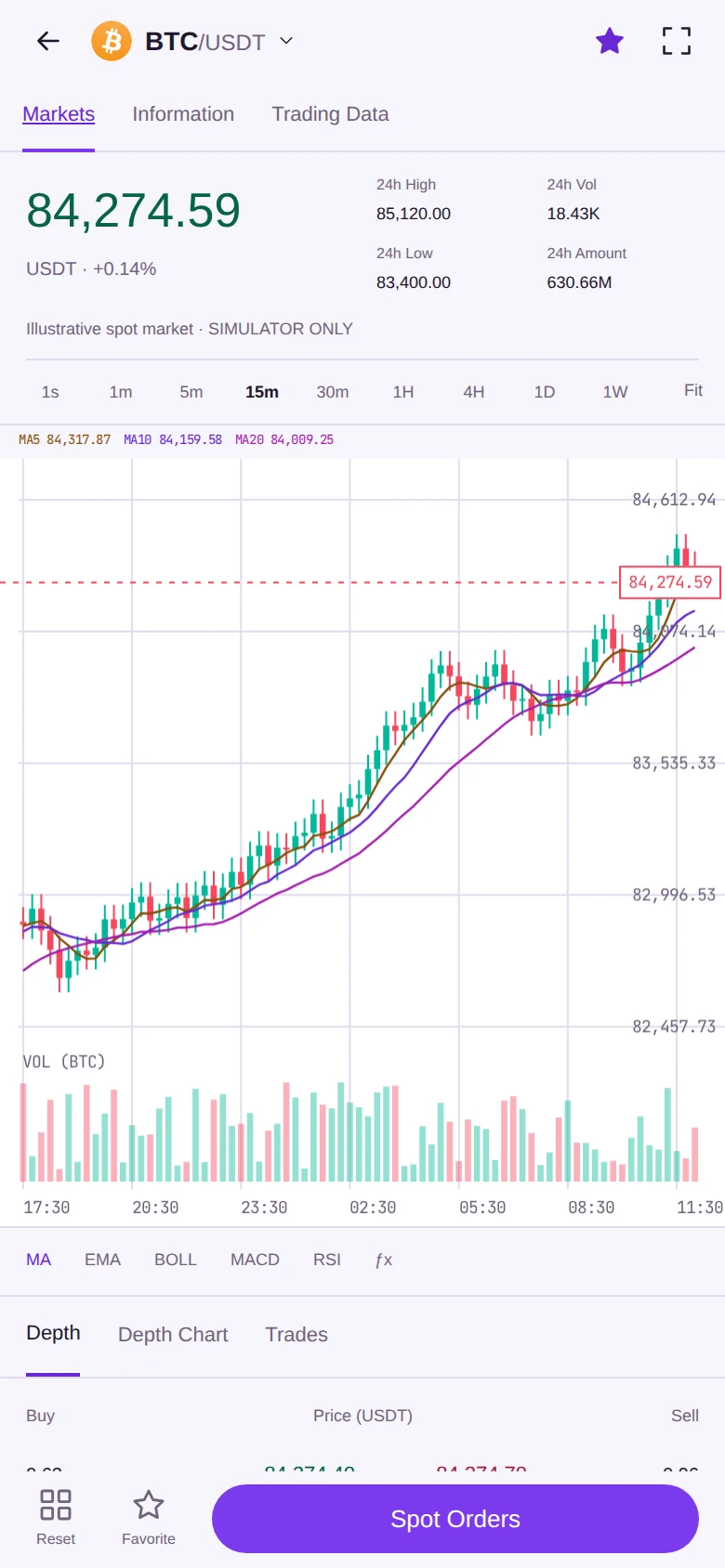
On a phone, the active pair, chart and order controls compete for vertical space. FUNOBIT opens the chart in a dedicated view with the pair at the top and a direct way back to Spot Orders.
Violet accents and rounded layers connect the exchange to the public site. High-contrast labels do the work of identifying market data and controls even when the decorative surfaces are out of view.
خلاصهٔ فارسی پروژه
فانوبیت مسیر پیدا کردن جفتارز تا ثبت سفارش اسپات را در یک فضای کاری جمع میکند. جفتارز فعال، نمودار و فرم سفارش اولویتهای طراحی هستند و همین ترتیب در نمایش موبایل هم حفظ میشود.